Vincent Yield Rewards Airdrop
Over the past few months, more than 7,000 Vincent Agent Wallets were created by users exploring a new kind of non-custodial, policy governed DeFi automation. Vincent gives users programmable, cross-chain wallets secured by Lit Protocol’s decentralized key management network, enabling apps like Vincent Yield to automate on-chain activity without ever taking custody of user assets.
Vincent Yield demonstrates a new model for automated DeFi: non-custodial, policy governed yield optimization that earns while users sleep and continuously optimizes without a human in the loop.
During the bonus rewards period, Vincent users deposited over $500,000 USDC into their Vincent Agent Wallets, where funds were continuously routed into the highest yielding Morpho vaults by the Vincent Yield app. In addition to earning yield directly from Morpho, participants collectively earned over 100,000 $LITKEY in rewards.
To learn more about the Vincent ecosystem and how it works, explore our documentation. If you're interested in building your own non-custodial DeFi automation, get started with the Vincent App Starter Kit. And if you'd like to try Vincent Yield yourself and have your funds automatically managed, you can start earning today.
Rewards Distribution
On December 10th, 2025 the $LITKEY bonus rewards were distributed to the Vincent Users whom deposited USDC on Base into their Vincent Agent Wallets for the Vincent Yield App.
The amount of $LITKEY earned was based on the following continuously compounding formula using the highest total USDC deposited into your Vincent Agent Wallet during the rewards period. The amount of $LITKEY awarded was based on a $250M FDV & 1B total token supply. The exact equation used is as follows:
// The formula for continuous compounding is: A = P × e^(r × t)
//  where:
//    A = final amount (principal + interest)
//    P = principal amount (highest total deposit in USDC)
//    r = annual rate (APY), e.g., 0.1 for 10%
//    t = time in years
//    e = Euler's number (~2.71828)

//  Calculate interest with continuous compounding:
//  Interest = P × (e^(r × t) - 1)
const endDate = new Date("2025-12-10");
const startDate = new Date("DATE OF FIRST DEPOSIT");
const daysElapsed = Math.floor((endDate - startDate) / (1000 * 60 * 60 * 24));
const timeInYears = daysElapsed / 365;

const APY = 0.2624; // 30% with continuous compounding
const interestUSDC = principal * (Math.exp(APY * timeInYears) - 1);

// Convert to LITKEY tokens using $250M FDV price ($0.25)
const litkeyTokens = interestUSDC / 0.25;
The distribution happened as an ERC20 transfer from the distributor address: 0x144f40F11f8B3016A428E0F951019f78EC50Bec4 to your Vincent Agent Wallet address on the Base network.
Withdrawing Rewards
Step 1: Navigate to https://dashboard.heyvincent.ai/
Step 2: Click the Earn button
Step 3: Login with the same authentication method (Email, Wallet, Passkey, etc.) you used when signing up to Vincent Yield
Step 4: Navigate to the User Dashboard, you should be automatically taken here, but the URL for this page is: https://dashboard.heyvincent.ai/user/apps
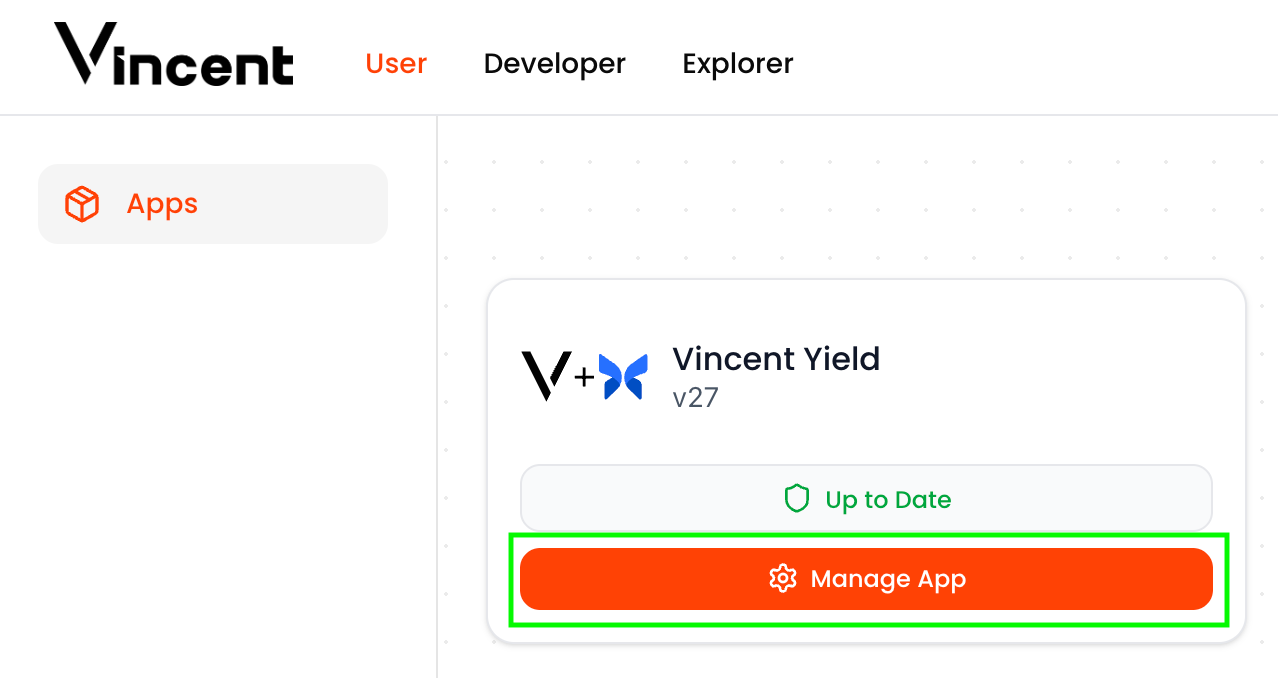
Step 5: Click the Manage App button for the Vincent Yield app. If you do not see the following on your Vincent User Dashboard, that means the authentication method you used to login with Vincent (Step 3) has not previously permitted Vincent Yield, and will not have any rewards to claim, please try a different authentication method.
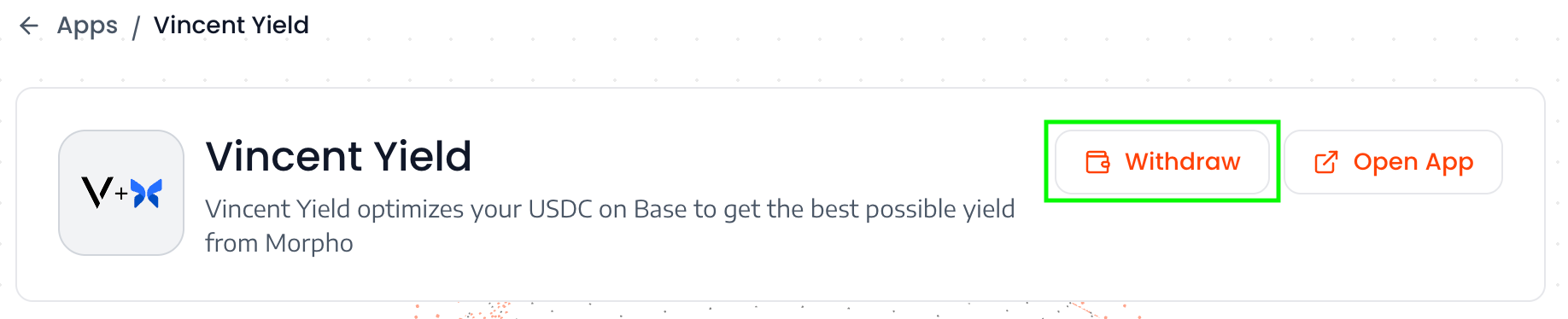
Step 6: Click the Withdraw button on the Vincent App Dashboard
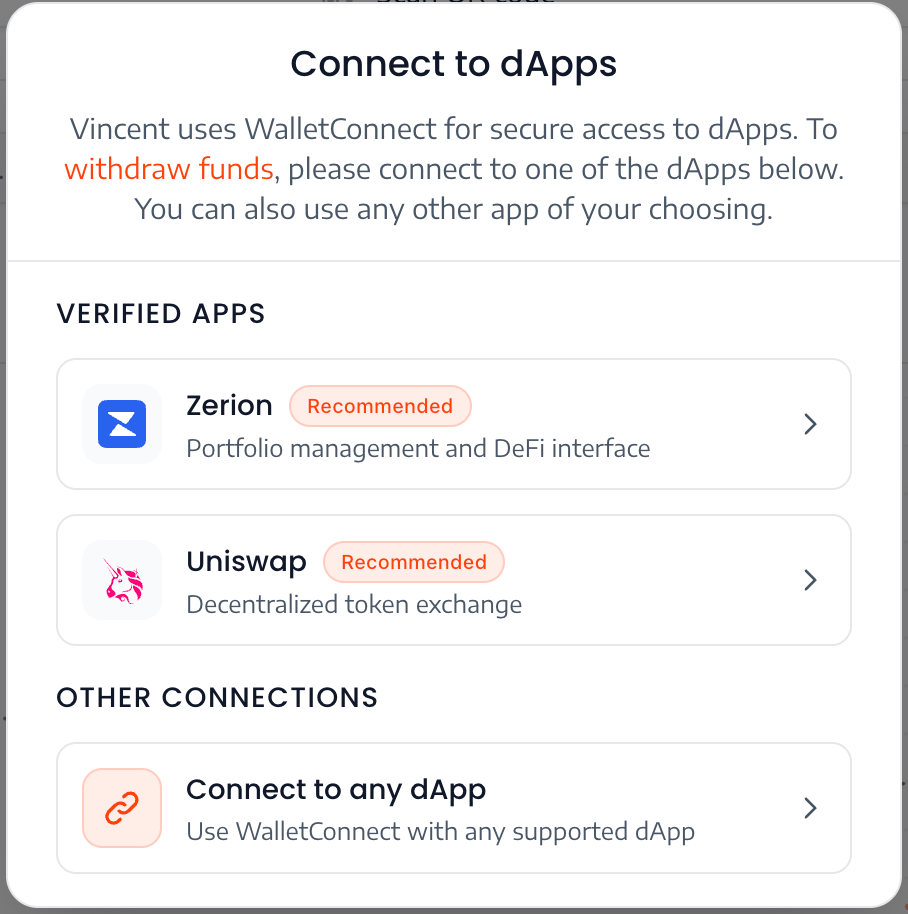
Step 7: Click the Zerion button or Connect to any dApp button
Clicking the Zerion button will walk you through the steps of connecting your Vincent Agent Wallet to Zerion using Wallet Connect. Afterwards you'll be able to view your $LITKEY balance and transfer it as needed.
If you run into any issues connecting the Vincent Agent Wallet to Zerion, you can follow the remaining below steps to withdraw the $LITKEY manually.
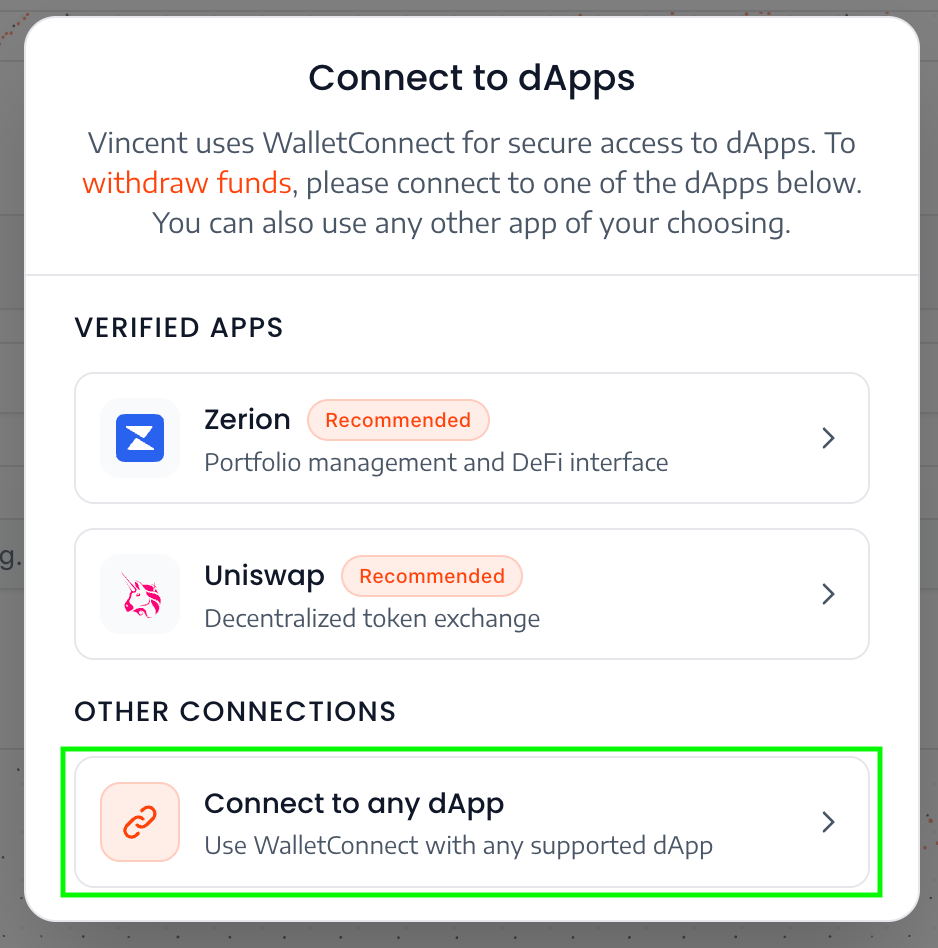
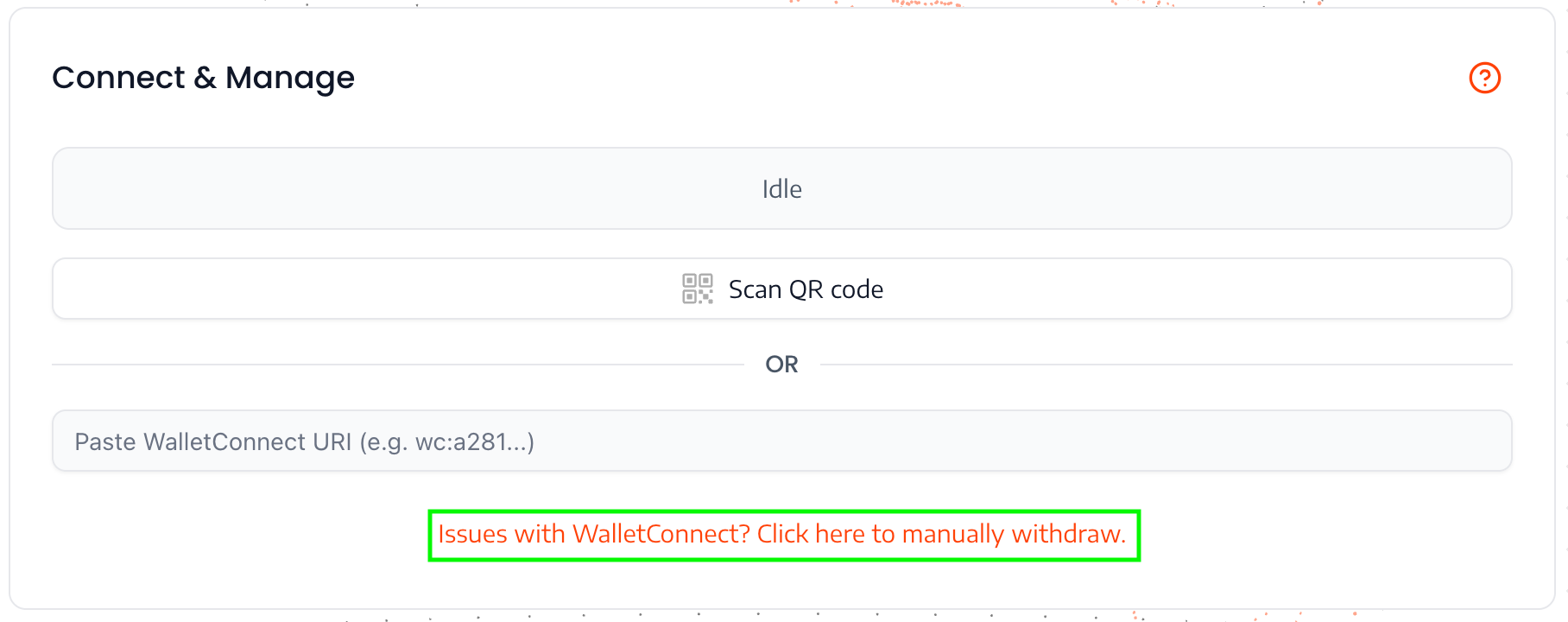
Step 8: Click the link to manually withdraw
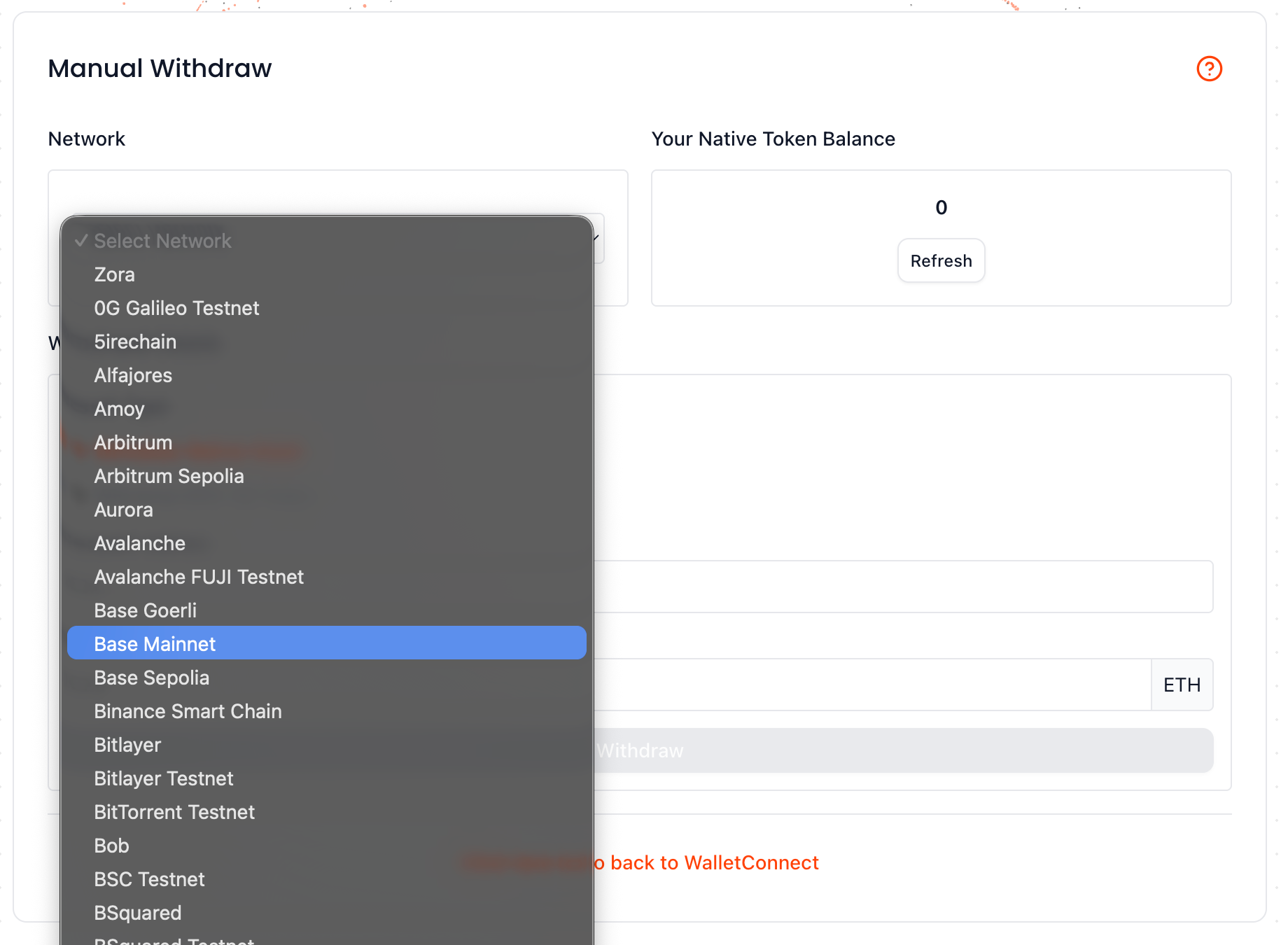
Step 9: Select Base Mainnet for the Network dropdown
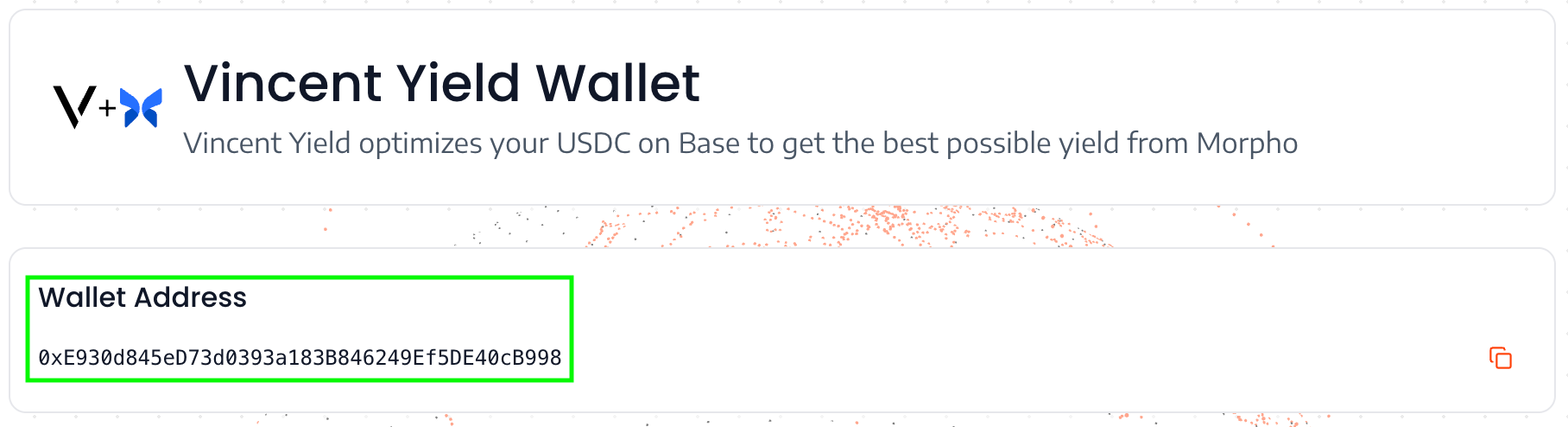
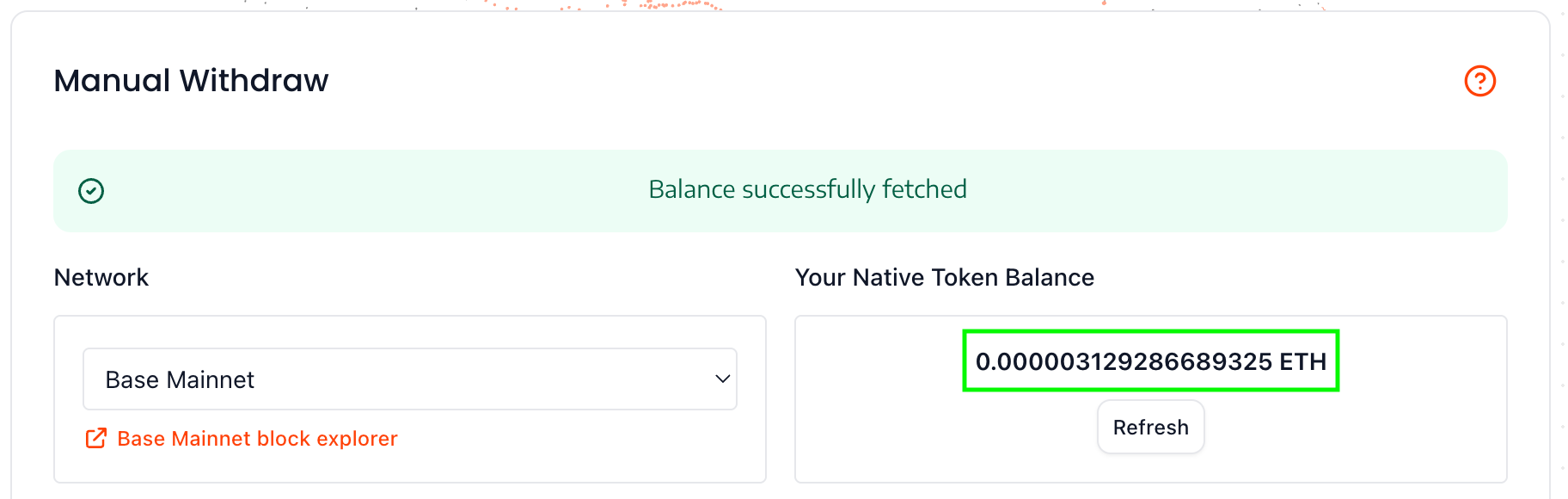
Step 10: Deposit a small amount of Ethereum on Base Mainnet into your Vincent Agent Wallet address. It's inexpensive to transfer ERC20s on the Base Mainnet, so you can deposit a very small out ($0.01) of Ethereum into your Vincent Agent Wallet to pay for the gas of the ERC20 transfer transaction.
Step 11: Refresh your ETH balance to validate you have enough ETH to pay for the transfer transaction's gas
Step 12: Fill out the withdrawal details:
- Token Address: The token address on Base Mainnet is: 0xF732A566121Fa6362E9E0FBdd6D66E5c8C925E49
- Recipient Address: This is the address of the wallet you'd like to transfer your $LITKEY to from your Vincent Agent Wallet
- Amount: The amount of $LITKEY you'd like to transfer. To see how much $LITKEY was airdropped into your Vincent Agent Wallet, you can use the below link, replacing YOUR_VINCENT_AGENT_WALLET_ADDRESS with the wallet address highlighted in Step 10:
https://basescan.org/token/0xF732A566121Fa6362E9E0FBdd6D66E5c8C925E49?a=YOUR_VINCENT_AGENT_WALLET_ADDRESS
This will take you to the $LITKEY token page where your Vincent Agent Wallet's $LITKEY balance will be displayed:
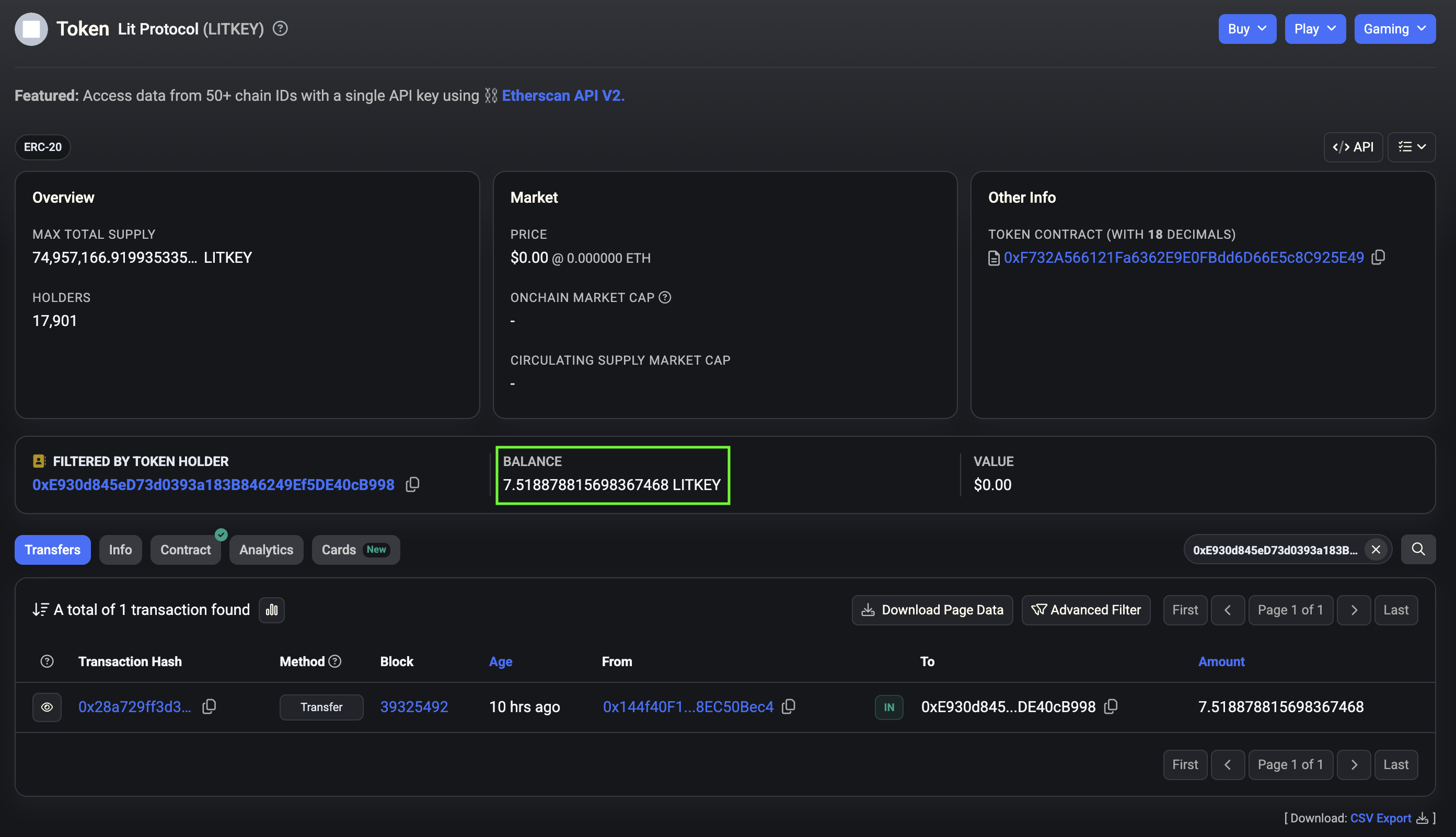
Simply copy this number and paste it for the Amount in the Withdrawal Details form:
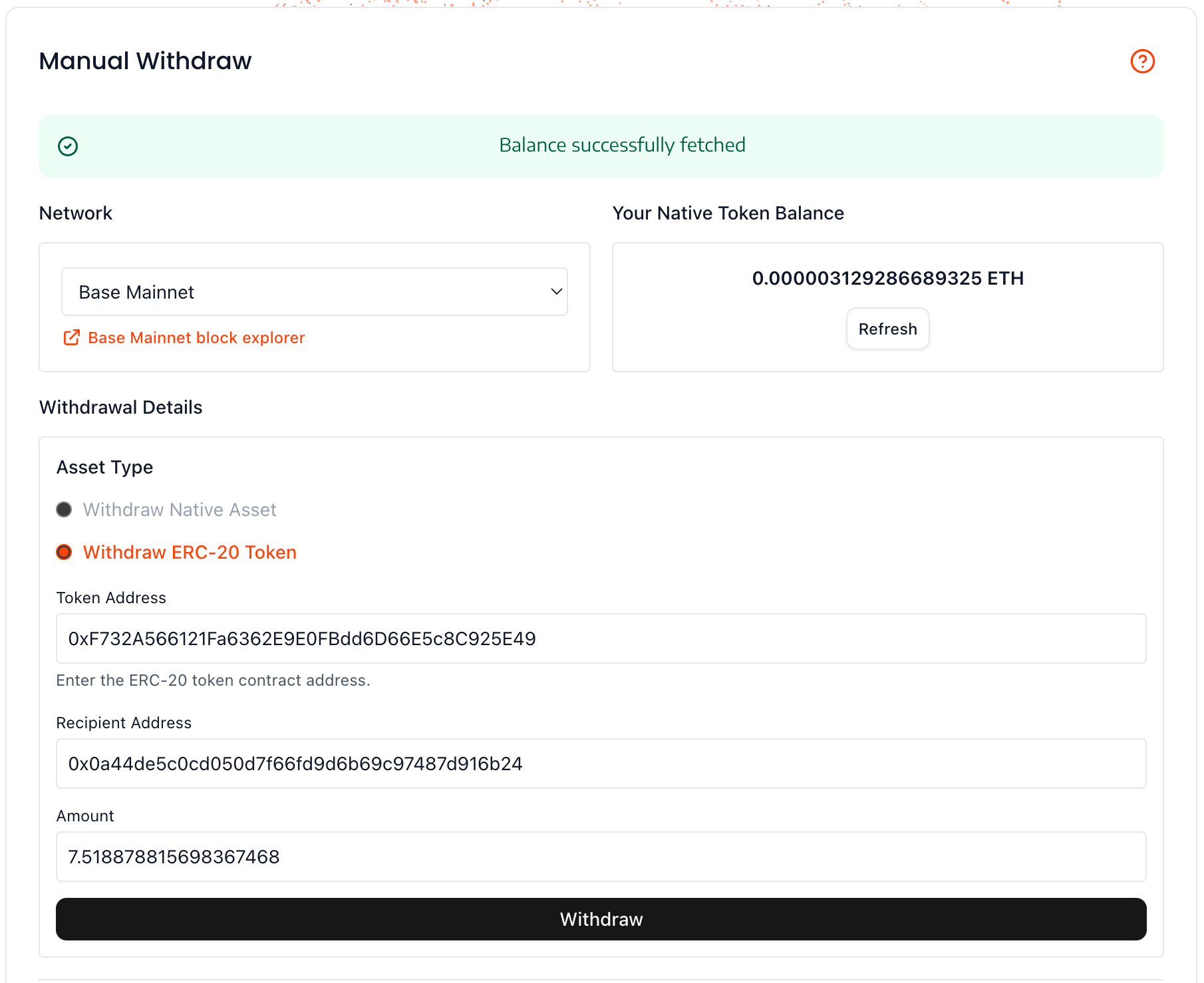
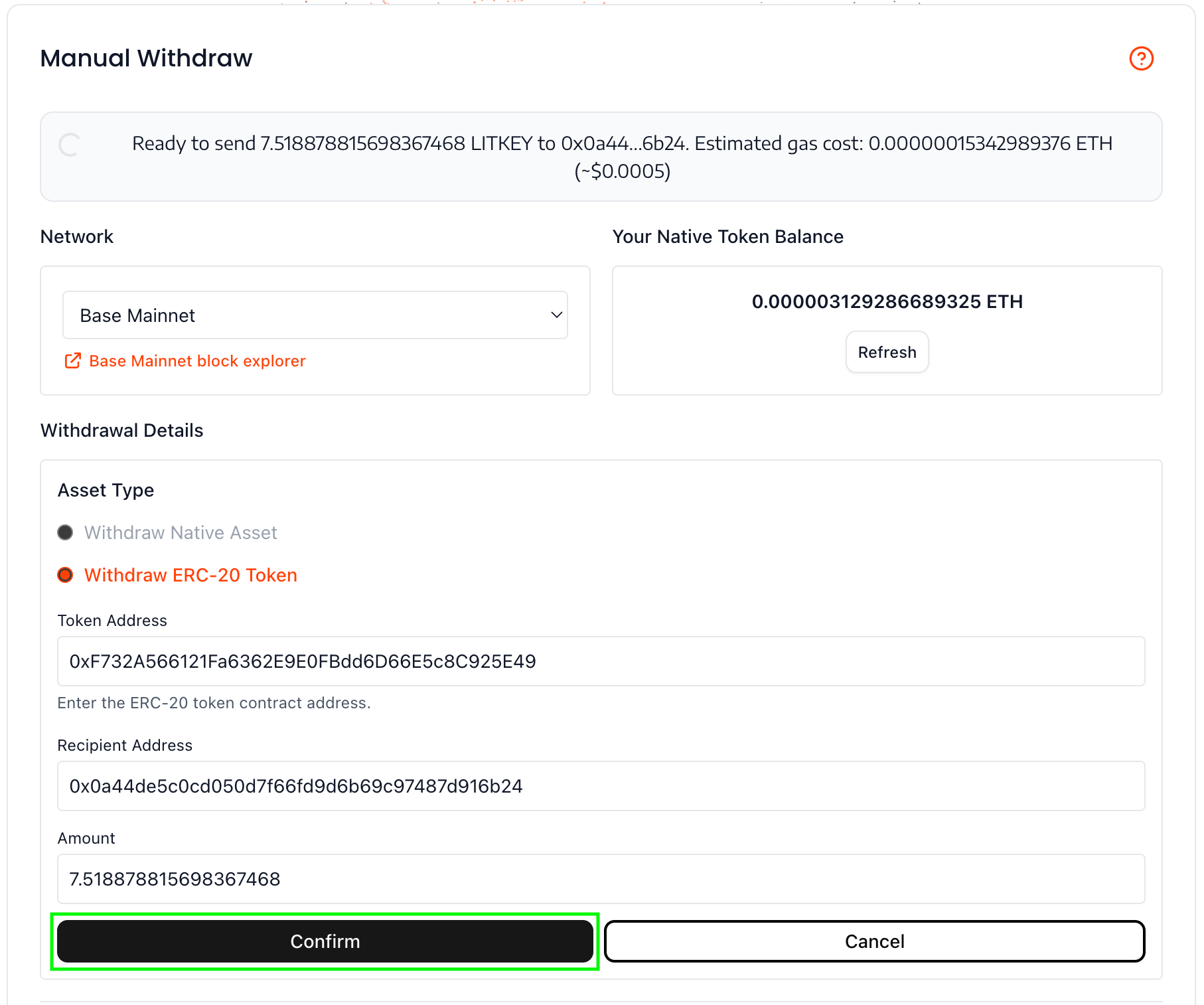
Step 13: Click the Withdraw button, then click the Confirm button to send the ERC-20 transfer transaction
Step 14: After the transaction has been processed by Base Mainnet, you'll be given a link to the transaction

And you're done! You'll receive the withdrawn $LITKEY at the Recipient Address.
Withdrawing Deposited USDC
To withdraw the USDC you deposited into your Vincent Agent Wallet for Vincent Yield, after clicking the Withdraw button from Step 6, click either the Zerion or Uniswap buttons and follow the listed steps to connect your Vincent Agent Wallet where you'll be able to manage the Morpho positions directly, and withdraw your deposited USDC.